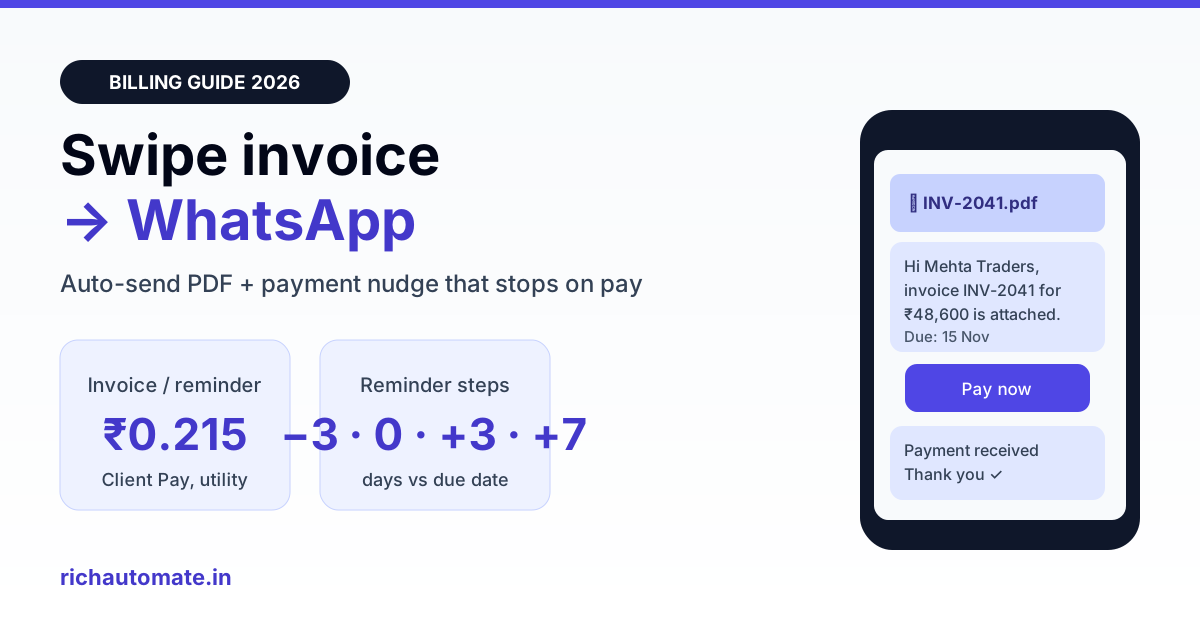
Swipe can share a bill or a reminder to WhatsApp from inside the app, but those sends are one at a time and are not a full automation on your own business number. To auto-send every Swipe invoice as a PDF on WhatsApp and run a payment-reminder sequence that stops when the customer pays, connect Swipe's API and webhooks to the official WhatsApp Business API, where each invoice or reminder is a utility message costing about ₹0.215 on RichAutomate Client Pay (₹0.115 Meta + ₹0.10 platform fee).
This guide is for Indian traders, distributors, wholesalers, D2C brands and service businesses that already bill on Swipe and want WhatsApp to do the chasing. It covers what Swipe's built-in WhatsApp option is good for, where it stops, three ways to connect Swipe to the WhatsApp Business API (no-code to full webhook), the templates Meta approves for invoices and reminders, a reminder schedule that collects faster without annoying good customers, a worked monthly cost and the consent rules to follow.
What Swipe's built-in WhatsApp sharing does well
Swipe's integrations page says you can send bills, receipts and reminders through WhatsApp directly from Swipe. For a shop owner billing 20 customers a day from a phone, that is often enough: create the invoice, tap share, and the customer gets the bill on WhatsApp in seconds. Swipe also connects to Razorpay so invoices can accept UPI, card and wallet payments, and to Tally, Shopify and Shiprocket for accounts, orders and shipping.
The built-in share is the right tool when:
- You raise fewer than about 30 to 50 invoices a day and someone is there to tap send.
- Customers already know your number and you are happy for invoices to go out manually.
- You do not need a reminder sequence, delivery and read reports, or replies routed to a team.
Once billing volume grows, or once collections become the real problem, manual sharing turns into a daily chore that nobody owns. That is the point where businesses look for "swipe billing whatsapp" automation.
Where manual sharing stops: Swipe share vs the official WhatsApp API
| Need | Swipe in-app share | Swipe + official WhatsApp Business API |
|---|---|---|
| Send each invoice as it is created | Manual tap per invoice | Automatic, triggered by a Swipe webhook or schedule |
| Sender identity | Depends on how you share from the app | Your own verified business number with display name and logo |
| Payment reminder sequence | Reminder sent when someone remembers | Before-due, due-day and overdue steps that stop on payment |
| Delivery and read status | Not reported per invoice | Sent, delivered, read and failed status per message |
| Customer replies | Land on one phone | Shared team inbox with assignment and chat history |
| Bulk follow-up for all outstanding | Not practical | One campaign from a CSV of unpaid invoices |
| Cost per message | Included in your Swipe plan | About ₹0.215 per utility message on Client Pay |
The two are not rivals. Many businesses keep the in-app share for walk-in counter sales and use the API for credit customers, where every day of delay on a payment costs real money.
Three ways to connect Swipe to WhatsApp automation
Path 1: CSV export to a WhatsApp campaign (no code, one afternoon)
Export your outstanding or unpaid invoice report from Swipe to Excel or CSV with customer name, mobile number, invoice number, amount and due date. Upload it in RichAutomate as a campaign using an approved payment-reminder template, mapping each column to a template variable. Run it once a week. This gives you 80% of the collection benefit with zero development, and it is exactly how many distributors start. If you are new to this, our guide on WhatsApp payment reminders for overdue invoices covers the wording and timing.
Path 2: Swipe webhooks to WhatsApp (automatic invoice delivery)
Swipe's developer documentation at developers.getswipe.in describes a REST API for documents (invoices, estimates, purchases and returns), parties, payments and products, plus webhooks for real-time document and inventory events. The flow looks like this:
- Swipe creates an invoice and fires a document webhook to a small endpoint you host (a serverless function, an n8n or Make scenario, or your own server).
- Your endpoint downloads the PDF through Swipe's document PDF endpoint using the document's hash_id, which every follow-up API call uses.
- It calls the WhatsApp API with an approved utility template that has a document header, passing the PDF, the customer's mobile number and variables such as invoice number, amount and due date.
- It stores the invoice and due date in a table so the reminder job knows what is still open.
Swipe API keys are generated in the API Integration section of the Swipe dashboard and sent as a Bearer token. Note that Swipe's docs say API calls run against your live account, so test with a sandbox customer and your own number first.
Path 3: Webhooks plus a reminder engine (full collections automation)
Add a scheduled job that runs once a day, reads the open invoices you stored in Path 2 and sends the right reminder step for each. When Swipe reports a payment against the invoice, or Razorpay confirms it, mark the invoice paid and the sequence stops. This is the setup that actually reduces debtor days, because no invoice is ever forgotten and no paid customer gets chased by mistake.
Already running a different billing tool in another branch? The same pattern works for myBillBook WhatsApp invoice automation and Vyapar invoice reminders on WhatsApp, so one WhatsApp number can serve all of them.
WhatsApp templates Meta approves for Swipe invoices
Every message that starts a conversation must use a template that Meta has approved. Invoice delivery, payment reminders and receipts tied to a specific transaction qualify as utility templates, which are far cheaper than marketing ones. Keep them factual: no offers, no discount codes, no "shop now" lines, or Meta may reclassify them as marketing.
1. Invoice ready (document header with the Swipe PDF)
Hi {{1}}, your invoice {{2}} for ₹{{3}} from {{4}} is attached. Due date: {{5}}. Reply to this message if anything looks wrong.
Button: "Pay now" (URL button pointing to the invoice's Razorpay payment link).
Get the India 2026 WhatsApp BSP price comparison
Wati vs AiSensy vs Interakt vs RichAutomate: Meta rates, platform fees and hidden costs, side by side. We send it to your WhatsApp in a minute.
2. Gentle reminder before the due date
Hi {{1}}, a reminder that invoice {{2}} for ₹{{3}} is due on {{4}}. You can pay using the link below. Ignore this if already paid.
3. Overdue reminder
Hi {{1}}, invoice {{2}} for ₹{{3}} was due on {{4}} and is still open. Please pay at the link below or reply to tell us when to expect payment.
4. Payment received
Thank you {{1}}. We received ₹{{2}} against invoice {{3}} on {{4}}. Your updated receipt is attached.
Use Hindi or a regional language version for customers who prefer it. Meta approves templates per language, and a reminder in the customer's own language often gets paid faster than an English one.
A reminder schedule that collects without annoying good customers
| Step | When | Template | Stop condition |
|---|---|---|---|
| 1 | Invoice created | Invoice ready with PDF and Pay now button | Never skipped |
| 2 | 3 days before due date | Gentle reminder | Payment recorded in Swipe or Razorpay |
| 3 | On the due date | Gentle reminder | Payment recorded |
| 4 | 3 days overdue | Overdue reminder | Payment recorded or customer replies with a date |
| 5 | 7 days overdue | Overdue reminder, routed to an inbox agent | Payment recorded |
| 6 | 15 days overdue | Stop automation; owner or accountant calls | Manual |
Three rules matter more than the exact days. First, always check payment status just before each send so a customer who paid an hour ago is never chased. Second, cap the sequence: five automated messages per invoice is plenty. Third, route replies such as "will pay Friday" to a human in a shared inbox, and pause the sequence until that date. Businesses with Zoho or Tally in the back office can follow the same logic; see our Zoho Books WhatsApp integration guide for a comparable setup.
What Swipe invoice automation costs per month
WhatsApp Business API pricing in India is per message. Meta charges about ₹0.115 for each utility message and ₹0.86 for each marketing message. On RichAutomate Client Pay you pay Meta directly and RichAutomate adds a flat ₹0.10 platform fee per message, so a Swipe invoice or reminder costs about ₹0.215. Utility templates sent while the customer's 24-hour service window is open, for example right after they reply to you, are free from Meta. There is ₹0 setup and plans start at ₹499 a month; see RichAutomate pricing for the plan list.
Worked example for a Surat textile distributor raising 1,500 credit invoices a month:
| Message | Monthly volume | Rate (Client Pay) | Monthly cost |
|---|---|---|---|
| Invoice ready with PDF | 1,500 | ₹0.215 | ₹322.50 |
| Payment reminders (about 2 per unpaid invoice, 600 unpaid) | 1,200 | ₹0.215 | ₹258.00 |
| Payment received receipts | 900 | ₹0.215 | ₹193.50 |
| Plan | 1 | ₹499 | ₹499.00 |
| Total | 3,600 messages | ₹1,273 a month |
If that automation pulls in even one ₹50,000 overdue payment a week earlier, the interest and follow-up time saved is many times the ₹1,273 spent. Volumes above roughly 1,000 messages a day are where Client Pay's flat platform fee keeps costs predictable, because you are not paying a bundled per-message markup on top of Meta's rate.
Consent, number quality and GST hygiene
- Collect opt-in at the point of sale. Meta requires that a customer agrees to receive WhatsApp messages from your business, and the DPDP Act 2023 requires consent for using personal data. Add a line to your order form, quotation or onboarding: "We will send invoices and payment updates on WhatsApp." Store the date of consent against the party in Swipe.
- Keep the mobile number clean. Swipe parties often hold landlines or an accountant's number. Validate a 10-digit Indian mobile before sending, and add the country code 91 in your connector.
- Send to the right person. For B2B customers, the person who pays is often not the person who orders. Keep a separate accounts contact on the party and send reminders there.
- Protect your quality rating. Reminders that are polite, accurate and stop on payment rarely get blocked. Repeated reminders to customers who have already paid are the fastest way to collect blocks and lower your messaging limits.
- Use the Swipe PDF, do not rebuild it. The PDF from Swipe already carries your GSTIN, HSN or SAC codes and, if you generate e-invoices, the IRN and QR code. Sending that exact file keeps the WhatsApp copy identical to your books.
Setup checklist: Swipe to WhatsApp in a week
- Day 1: Sign up on RichAutomate, connect your business number to the WhatsApp Business API through embedded signup, and complete Meta business verification. GST or MSME registration helps you go live.
- Day 2: Submit the four templates above in English and Hindi. Utility templates are usually reviewed within minutes to a few hours.
- Day 3: Export your current outstanding list from Swipe and run Path 1 as a one-time campaign. Measure replies and payments over the next 48 hours.
- Day 4 to 5: Generate a Swipe API key, set up the webhook endpoint and PDF download (Path 2), and test with your own number as the customer.
- Day 6: Add the daily reminder job with the stop-on-payment check (Path 3).
- Day 7: Go live for all credit customers, and keep the in-app share for counter sales.
Selling on Shopify as well? Swipe already pulls Shopify orders in as invoices, and our Shopify WhatsApp integration guide covers order and shipping updates on the same number.
Bottom line
Swipe's built-in WhatsApp share is a good start for counter billing. For credit customers, the money is in automation: every invoice delivered as a PDF the moment it is created, reminders that run on schedule and stop the moment payment lands, and replies handled by a team instead of one phone. With the official WhatsApp Business API that costs about ₹0.215 per message on Client Pay, with ₹0 setup. Start a free 14-day trial on RichAutomate, no card required, and send your first Swipe invoice on WhatsApp today.