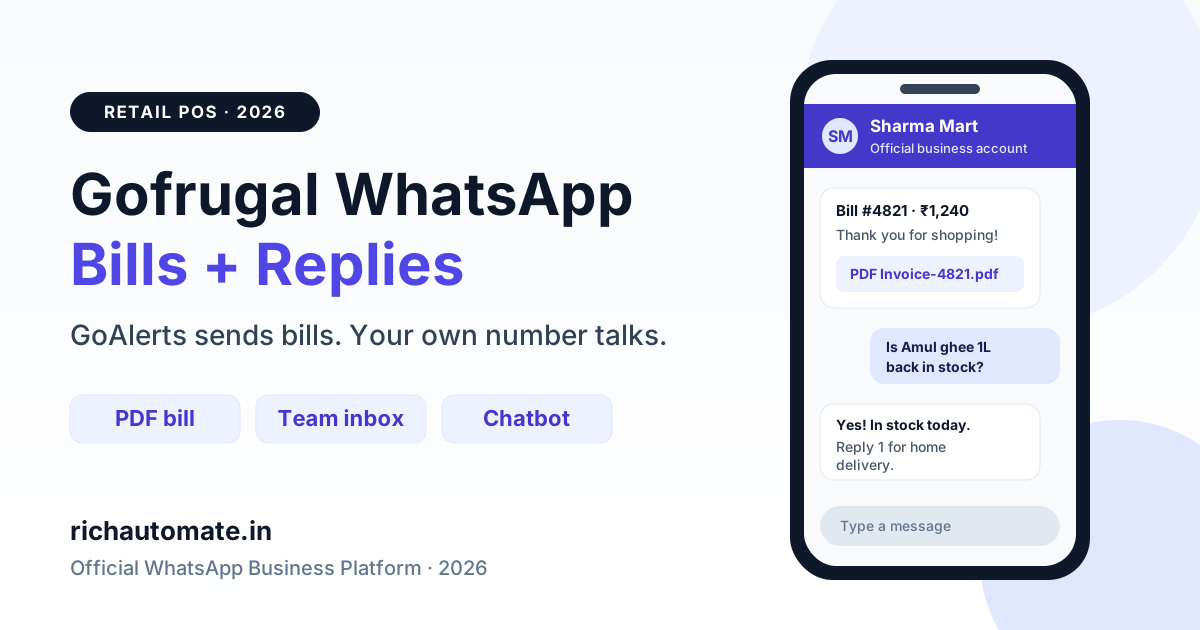
Gofrugal sends bills on WhatsApp through GoAlerts, its alerts add-on, which uses the official WhatsApp Cloud API on your own Meta account. It costs ₹5,000 a year plus message packs from ₹0.05 to ₹0.10 per message, with Meta's charges billed separately to your card. It is one-way, though: your customers can reply, but your team cannot see those replies, so stores that want two-way chat, a chatbot or retargeting campaigns usually add a second number on a full WhatsApp Business API platform.
This guide explains what GoAlerts does well, where it stops, what each route costs in rupees, and how a Gofrugal retailer, restaurant or distributor can run bills and conversations side by side without breaking WhatsApp's rules. Gofrugal details here come from Gofrugal's public GoAlerts page and its official WhatsApp Cloud API FAQ, as checked in November 2026. Prices and features change, so confirm your plan with your Gofrugal account manager.
Does Gofrugal have WhatsApp integration?
Yes. GoAlerts is a cloud tool that sends transaction alerts from Gofrugal's on-premise or cloud ERP to customers, suppliers and staff. Gofrugal describes its WhatsApp channel as an official integration built on the WhatsApp Cloud API, and says both transactional and promotional messages can go through it. SMS and email are offered through the same portal.
The main trigger is the bill. When a cashier saves a sale, GoAlerts sends an approved template to the customer's registered mobile number, with the sales bill attached as a PDF. Gofrugal bundles a digital invoice licence with the WhatsApp licence at no extra cost. Other alerts include payment due reminders, loyalty point updates, OTPs, and low-stock or stock-discrepancy alerts for staff.
Setup follows Meta's normal Cloud API steps. You need a Facebook account, Meta business verification (one proof for the legal business name and one for the business phone number), a credit card added as the payment method in Meta Business Manager, and WhatsApp approval for every template. WhatsApp needs no DLT registration, unlike SMS.
What GoAlerts does not do (yet)
GoAlerts is built for alerts. Gofrugal's own FAQ lists these limits:
| Limit | What Gofrugal's FAQ says | What it means at the counter |
|---|---|---|
| Customer replies | Recipients can reply, but your team cannot see the replies until a chatbot integration exists, which is not currently available | "Is this in stock?" or "Wrong amount on my bill" goes unanswered |
| Manual sending | Messages fire automatically on actions such as saving a bill; there is no manual send button and you cannot pick recipients | No way to send a one-off message to a single customer |
| Media | Images and videos cannot be sent in transactional messages; images are supported in promotional templates | Bills go as text plus PDF only |
| Bulk campaigns | Maximum 5,000 rows per promotional bulk send | A 20,000-customer festive offer needs four uploads |
| Number | A number that has never been on WhatsApp is recommended; an existing number must be deleted from WhatsApp first, and Meta can take up to 90 days to remove it | Plan your number before you go live |
| Message length | 1,024 characters maximum | Keep bill templates short |
None of this makes GoAlerts a bad choice. If all you want is a PDF bill on WhatsApp after every sale, it is native to your POS and simple to run. The gap shows up when customers start replying, which they do.
GoAlerts vs your own WhatsApp API number
A full WhatsApp Business API platform such as RichAutomate also uses the official Cloud API on your own Meta account, but it adds a shared team inbox, chatbots and campaign tools. Here is how the two compare for a Gofrugal store:
| Need | GoAlerts | Own number on RichAutomate |
|---|---|---|
| PDF bill after every sale | Yes, automatic from the POS | Yes, via CSV upload, Google Sheet automation or API from your own export |
| Read and answer customer replies | Not yet | Shared inbox for several staff, with chat assignment |
| Chatbot (store hours, stock check, order on WhatsApp) | Not yet | Visual flow builder and keyword auto-replies |
| Promotional broadcast | Yes, up to 5,000 rows per send | Personalised broadcasts with delivery and read reports |
| Images and video | Images in promotional templates only | Images, video and documents wherever Meta allows |
| Meta charges | Billed by Meta to your card | Billed by Meta to your card (Client Pay) |
| Provider fee | ₹5,000/year plus ₹0.05–₹0.10 per message, excl. GST | ₹0.10 per message; optional plan from ₹499/month, credited to your wallet |
What it costs: a worked example in rupees
Take a hypothetical Indore supermarket on Gofrugal that prints 3,000 bills a month and sends one 20,000-customer offer each month. Meta's India rates are about ₹0.115 per utility message and ₹0.8631 per marketing message, and they are the same whichever provider you use. Check Meta's pricing page for the current figures.
| Line item | GoAlerts | RichAutomate (Client Pay) |
|---|---|---|
| 3,000 bill messages, Meta | ₹345 | ₹345 |
| 20,000 offer messages, Meta | ₹17,262 | ₹17,262 |
| Provider message fees (23,000 messages) | ₹1,610 (50K pack at ₹0.07) + 18% GST = ₹1,900 | ₹2,300 (₹0.10 each) |
| Subscription | ₹5,000/year = ₹417/month + GST = ₹492 | Optional; Starter ₹499, credited to wallet |
| Monthly total | about ₹19,999 | about ₹19,907 |
The totals land close together, because Meta's marketing charge is about 87% of the bill either way. The real difference is what you get for it: a reply inbox, chatbots and campaign tools on one side, a native POS trigger on the other. Model your own volumes with the WhatsApp API cost calculator.
One cost trap to avoid: Meta does not charge for replies sent within 24 hours of a customer's message. If customers reply to a GoAlerts bill and nobody sees it, that free service window is wasted.
The two-number setup most Gofrugal stores end up with
A WhatsApp number can only be connected to one platform's Cloud API setup at a time, so the cleanest arrangement is two numbers under the same Meta business account:
Get the India 2026 WhatsApp BSP price comparison
Wati vs AiSensy vs Interakt vs RichAutomate: Meta rates, platform fees and hidden costs, side by side. We send it to your WhatsApp in a minute.
- Bill number on GoAlerts. A new number used only for automatic bills, payment reminders and loyalty alerts. Add a line to the bill template such as "For questions, message us on 98XXX XXXXX".
- Conversation number on RichAutomate. Your main customer number for replies, chatbot, home-delivery orders and campaigns, with Click-to-WhatsApp ads pointing here.
Both numbers share your verified business and display name rules, and Meta bills both to the same card. Customers see two numbers, so name them clearly ("Sharma Mart Bills" and "Sharma Mart"). If you would rather keep one number, send bills from RichAutomate instead. Export the day's sales from Gofrugal as a CSV, or push them from your own sheet or API, and send an approved bill template from the conversation number.
There are three ways to move Gofrugal data to the conversation number, from simplest to most automated:
- CSV export: export customers or the day's bills from Gofrugal reports, upload the file to RichAutomate, and map columns such as name, bill number and amount to template variables. This takes no code and suits a weekly offer or a monthly dues reminder.
- Google Sheet plus Pabbly Connect or Zapier: drop the export into a sheet, and a new row triggers an approved template. This suits daily payment reminders.
- Developer API: if your Gofrugal partner or in-house developer can read sales data, they can call the RichAutomate send-template endpoint for each new bill or due date.
Distributors that also run Marg ERP or Tally will recognise the pattern. See how it works in our Marg ERP WhatsApp integration guide and the Tally WhatsApp setup guide.
Want to see the inbox side before you decide? Start a 14-day RichAutomate trial with ₹0 setup and connect a spare number while GoAlerts keeps sending bills.
Which messages are utility, which are marketing
Meta prices messages by category, and it can recategorise a template you submit. Keep these apart:
- Utility: bill or invoice after a purchase, payment due reminder, delivery update for a home-delivery order, loyalty points earned on a specific bill.
- Marketing: offers, new arrivals, festive greetings, "visit us again" nudges, and any bill template that adds a discount line.
- Authentication: OTPs for loyalty sign-up or credit-account login.
A bill template that ends with "Get 10% off this weekend" will usually be priced as marketing, at about seven times the utility rate. Put offers in a separate broadcast to customers who opted in.
Setup checklist for a Gofrugal store
- Collect opt-in at the counter. Capture the WhatsApp number and consent when you create the customer in Gofrugal. Print "Bills and offers on WhatsApp. Reply STOP to opt out." on the bill.
- Verify your business with Meta. Use the GST certificate or Udyam registration for the legal name, plus a utility bill or phone bill for the number. Our myBillBook WhatsApp invoice guide walks through the same documents.
- Choose your numbers. Pick a fresh number for GoAlerts and keep your well-known store number for conversations.
- Write short templates. Bill: store name, bill number, amount, date and PDF. Keep it under 1,024 characters with no promotional lines.
- Set up the reply side. Add a welcome flow on the conversation number for store hours, location, home delivery and "talk to staff".
- Segment for campaigns. Export customers by last purchase date and spend, then send offers to opted-in segments only.
Retail, restaurant and distributor use cases
Supermarkets and kirana chains: bills on GoAlerts, then a weekly "fresh stock" broadcast and a WhatsApp ordering flow for home delivery on the conversation number. See our WhatsApp API guide for supermarkets.
Restaurants and QSRs: Gofrugal also serves restaurants. A bill on WhatsApp works well for dine-in, while takeaway orders and table bookings belong on a two-way number. Compare it with the route in our Petpooja WhatsApp integration guide.
Distributors: payment due reminders to retailers, with order taking on WhatsApp so your sales team stops typing orders from voice notes.
Loyalty: points earned after each bill, plus a "points expiring" reminder. Design the full loop with our WhatsApp loyalty programme guide.
Mistakes to avoid
- Using your famous store number on GoAlerts. Replies to that number become invisible, and moving it to another platform later means deleting it from WhatsApp first.
- Skipping the card. Gofrugal notes that Meta blocks messages if no payment method is added during setup.
- Blasting the full customer list. Message only customers who gave their WhatsApp number for bills and offers. Low read rates and blocks reduce your quality rating and messaging limit.
- Unofficial "WhatsApp sender" tools. Tools that automate the WhatsApp app get numbers banned. Stay on the official Cloud API, whichever provider you choose.
For GST billing on Swipe instead of a POS, read our Swipe billing WhatsApp integration guide with templates and monthly costs.
Comparing inventory tools? Our Zoho Inventory WhatsApp integration guide explains native document sends versus automated stock and dispatch alerts.
Bottom line
For a PDF bill after every sale, GoAlerts is the easiest route because it is built into Gofrugal. Once customers start replying, asking for stock or ordering for delivery, you need an inbox and a chatbot, and a second number on a full WhatsApp Business API platform covers that for about the same monthly spend. See plans on RichAutomate pricing: Starter ₹499, Pro ₹899 and White-label ₹1,199 a month, GST-inclusive, with the plan fee credited to your wallet as message credit.
Ready to answer every customer who replies to a bill? Create your free RichAutomate account and go live on your own number with Meta billing you directly at cost.