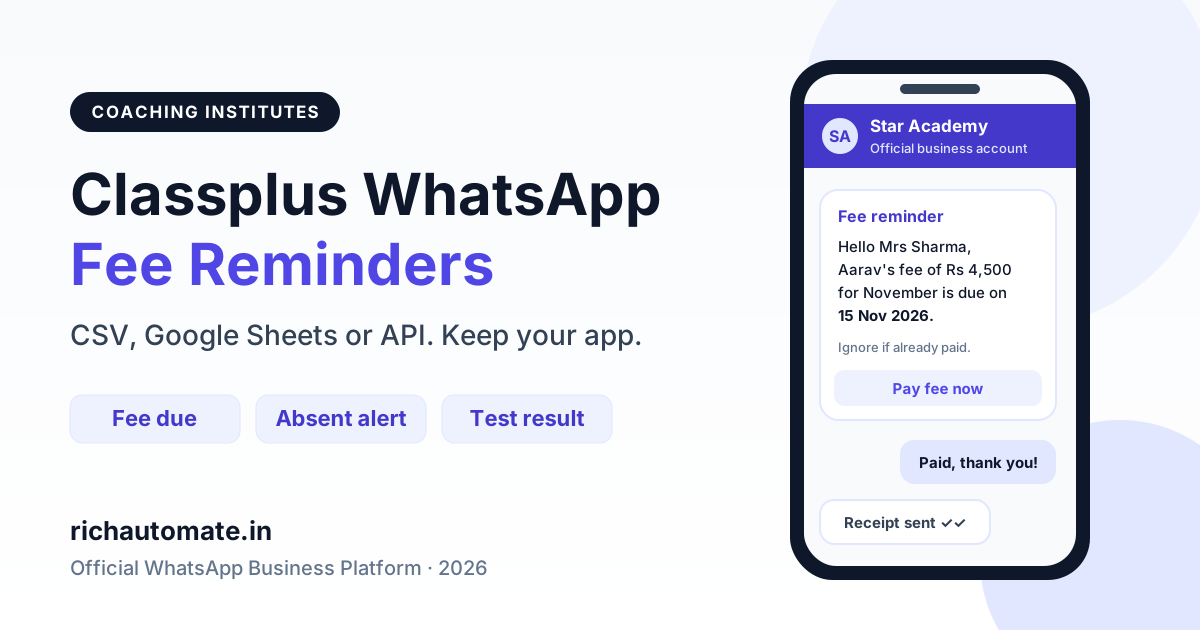
We could not find a public, self-serve Classplus WhatsApp integration, and Teachmint's public pages describe fee reminders over SMS rather than WhatsApp. The simplest fix is to connect your institute's own number to the official WhatsApp Business Platform and send fee reminders, absence alerts and test results to parents. You can upload a fee-due CSV, sync a Google Sheet or webhook, or make one API call, and your coaching app stays exactly as it is.
This guide is for coaching institutes and tuition centres already running on Classplus, Teachmint or a similar app. You don't need to switch apps. You need parents to actually read the reminder. Below are three practical setups, ready-to-submit template texts, and a real monthly cost for a 300-student centre.
What Classplus and Teachmint say about WhatsApp today
We only state what the apps say in public. Classplus's app store listing describes built-in attendance and student fee management, plus the option to send personalised messages to students or parents. We could not find any public Classplus documentation on sending these alerts over the WhatsApp Business API. Some coaching ERPs sell WhatsApp as an optional paid add-on. If you are on Classplus, ask your Classplus account manager whether a WhatsApp option exists for your plan and what it costs.
Teachmint's fee management pages list timely and automated reminders for fees, exams, attendance and updates. Teachmint's own blog describes parent fee reminders going out as SMS. We found no official Teachmint page on WhatsApp delivery, so check with Teachmint support before relying on it.
Either way, the gap is the same. The app knows who owes fees and who missed class. Parents, though, live on WhatsApp, and an SMS or in-app push is easy to miss. A direct WhatsApp Business API connection closes that gap. You do not have to wait for your coaching app to build it.
Classplus add-on vs Teachmint vs direct WhatsApp API
Here is a capability comparison. "Check with vendor" means we could not confirm it from public sources, not that the feature is missing.
| Capability | Classplus (built-in) | Teachmint (built-in) | Direct WhatsApp API (RichAutomate) |
|---|---|---|---|
| Fee and attendance records | Yes, in the app | Yes, in the app | No, it reads them from your app's export or webhook |
| Reminders to parents | Personalised messages; channel: check with vendor | Automated reminders; SMS mentioned on Teachmint blog | WhatsApp template messages from your own number |
| WhatsApp Business API delivery | Check with your account manager | Not documented publicly | Yes, official Cloud API |
| Your own verified sender number | Check with vendor | Check with vendor | Yes, your institute's number and display name |
| Two-way parent replies in a shared inbox | Check with vendor | Check with vendor | Yes, team inbox for counsellors and accounts staff |
| Keyword auto-replies and chatbot flows | Check with vendor | Check with vendor | Yes, visual flow builder |
| Delivery and read status per parent | Check with vendor | Check with vendor | Yes, per message |
| Developer API for automation | Check with vendor | Check with vendor | Yes, REST API with API keys |
Pick the right tool for each job. Keep Classplus or Teachmint for classes, content, fee records and attendance marking. Use the WhatsApp API layer only for parent communication.
Want to see if a direct connection fits your centre? Start a 14-day free trial on RichAutomate. Setup is ₹0, and you can test with your own number before any parent gets a message.
Path 1: Export the fee-due list and upload it as a broadcast
This is the no-code route most centres start with, and it takes about 15 minutes a week.
- In Classplus or Teachmint, open the fee section and filter students with dues pending this cycle. Export the list to Excel or CSV.
- Keep these columns: parent name, parent mobile with country code (91XXXXXXXXXX), student name, amount due, due date and a payment link if you use one.
- In RichAutomate, upload the CSV as a broadcast and choose your approved fee reminder template.
- Map each template variable to a column, so {{1}} is the parent name, {{2}} the student name, and so on.
- Schedule it. Many centres send once 5 to 7 days before the due date and again on the day.
The full spreadsheet workflow, including cleaning phone numbers, is covered in our guide to sending WhatsApp messages from Excel with the official API.
The upside is that nothing technical is needed. The downside is that someone has to remember to export the list. If a parent pays on Monday and you upload Tuesday's list from last week, they get a wrong reminder. So always export fresh.
Path 2: Google Sheets, webhook or Zapier / Pabbly automation
If your coaching app can push data out through a webhook, a scheduled export or a Google Sheet sync, you can remove the manual step.
- Google Sheets: keep a "fees due" sheet updated from your app's export. A Pabbly Connect or Zapier workflow watches for new rows, or rows where the status turns to "due", and fires the WhatsApp template.
- Webhook: if your app sends an event when a fee instalment is created or overdue, point it at an automation tool. The tool maps the fields and calls RichAutomate.
- Attendance: the same pattern works for absence. When a row for a student marked absent lands in the sheet, the "absent alert" template goes to the parent within minutes.
We walk through the exact trigger and action setup in the Pabbly Connect WhatsApp integration guide. Zapier and Make work the same way.
Ask your app vendor which export or webhook options your plan includes. That decides whether Path 2 can be fully automatic or semi-automatic.
Path 3: Developer API when a fee falls due
If you have an in-house developer, or your own fee portal, call the RichAutomate public API directly. Every time a fee becomes due, your system sends one POST request with the parent's number, the template name and the variable values.
POST https://richautomate.in/api/v1/send-template
Authorization: Bearer YOUR_API_KEY
Idempotency-Key: fee-STU1042-2026-11
Content-Type: application/json

{
  "phone": "919876543210",
  "template": "fee_due_reminder",
  "language": "en_US",
  "variables": ["Mrs Sharma", "Aarav", "4,500", "15 Nov 2026", "pay.example.in/STU1042"]
}
A few practical tips:
Send these messages on WhatsApp, from your own number
We get your templates approved on the official WhatsApp API and set up your first broadcast with you. ₹0 platform fee, you pay only Meta's per-message rate.
- Use an Idempotency-Key built from the student ID and fee cycle. If your job retries, the parent still gets one reminder, not three.
- Check your wallet balance through the API before a large nightly run, so a low balance does not stop the batch halfway.
- Store the message ID returned by the API, then poll message status. You can then list parents whose reminder was delivered but who still have not paid.
Sample utility templates for fee, attendance and results
Every business-initiated WhatsApp message needs a template that Meta has approved. Meta sorts templates into categories. Utility is for a specific transaction or account update the parent expects, like a fee due, an absence or a result. Marketing is for anything promotional, like a new batch, a discount or an admission drive. Meta reviews the wording. If a "utility" template carries promotional lines, Meta can recategorise it as marketing, and marketing costs much more.
1. Fee reminder (utility)
Hello {{1}}, this is a reminder from {{2}}. The fee of Rs {{3}} for {{4}} is due on {{5}}. You can pay here: {{6}}. Please ignore this message if you have already paid.
2. Attendance absent alert (utility)
Dear Parent, {{1}} was marked absent for the {{2}} class on {{3}} at {{4}}. If you were not aware of this, please reply to this message or call the centre.
3. Test result (utility)
Hello {{1}}, the result for {{2}} held on {{3}} is now available. {{4}} scored {{5}} out of {{6}}. View the detailed report here: {{7}}. Reply to this message if you have any questions.
Notice that none of them start or end with a variable, and each has enough fixed text around the variables. Meta tends to reject templates that are mostly placeholders. Keep "join our crash course" lines out of these templates. Send those as a separate marketing broadcast to parents who have opted in.
Template categories and Meta cost per 1,000 messages
On Client Pay, Meta bills its own charges straight to your card at cost. RichAutomate adds a flat ₹0.10 platform fee per message. The figures below use Meta's India rates as listed on our pricing page.
| Message type | Coaching example | Meta rate (India) | Meta per 1,000 | Platform fee per 1,000 | Total per 1,000 |
|---|---|---|---|---|---|
| Utility | Fee reminder, absent alert, test result | ₹0.115 | ₹115 | ₹100 | ₹215 |
| Authentication | Login OTP for a parent portal | ₹0.115 | ₹115 | ₹100 | ₹215 |
| Marketing | New batch, crash course, referral offer | ₹0.8631 | ₹863.10 | ₹100 | ₹963.10 |
| Service (free-form reply) | Answering a parent's question within 24 hours | ₹0 from Meta | ₹0 | ₹100 | ₹100 |
The cost gap between utility and marketing is the main reason to keep fee reminders strictly transactional. And when a parent replies "paid already" or "what time is the test?", your team's free-form answers inside the 24-hour customer service window are free from Meta. To model your own numbers, try the WhatsApp Business API cost calculator.
Monthly cost for a 300-student institute
Take a centre with 300 students, one parent number each, six teaching days a week. Your volumes will differ, so treat this as a template for your own maths.
| Message | Assumption | Messages / month | Meta charge | Platform fee |
|---|---|---|---|---|
| Fee reminders (utility) | 2 reminders x 300 parents | 600 | ₹69.00 | ₹60.00 |
| Absent alerts (utility) | About 8% absent x 26 days | 624 | ₹71.76 | ₹62.40 |
| Test results (utility) | 4 tests x 300 parents | 1,200 | ₹138.00 | ₹120.00 |
| Admission broadcast (marketing) | 1 broadcast x 300 opted-in parents | 300 | ₹258.93 | ₹30.00 |
| Replies to parents (service) | About 400 replies in open windows | 400 | ₹0 | ₹40.00 |
| Total | 3,124 | ₹537.69 | ₹312.40 |
So the whole parent communication layer costs about ₹850 a month for 300 students, under ₹3 per student. Meta's ₹537.69 is billed by Meta, plus any taxes on Meta's invoice. The ₹312.40 platform fee is billed by RichAutomate.
On the Pay-as-you-go plan (₹0/month) you pay only those per-message fees. If you also want team seats and automation on Starter at ₹499/month, the ₹499 is credited to your wallet as message credit. At this volume, the plan fee covers the ₹312.40 of platform fees, so you are not paying twice. Pro (₹899/month) and White-label (₹1,199/month) work the same way. See the full breakdown on the RichAutomate pricing page.
Setup checklist before your first parent reminder
- Number: pick a number that is not active on the regular WhatsApp app, or plan the move carefully. Parents should recognise the display name, so use your institute's name.
- Opt-in: add a line to your admission form saying parents will receive fee, attendance and result updates on WhatsApp. Keep that consent on record.
- Templates: submit the three utility templates above in English and, if your parents prefer it, in Hindi or your regional language as separate templates.
- Data hygiene: export fresh fee-due lists, remove parents who have paid, and format numbers as 91XXXXXXXXXX.
- Replies: set keyword auto-replies such as "FEES" for the payment link and "TIMING" for batch schedules. Route anything else to the accounts desk in the shared inbox.
- Volume: start with one batch, check delivery and read rates, then roll out. Sudden large sends from a brand-new number, or messages parents report as spam, can hurt your quality rating. Nobody can promise a number will never be restricted, so follow Meta's policies and only message parents who opted in.
Teaching on Moodle instead? Read our guide to LMS WhatsApp alerts for Moodle for reminders, grades and attendance.
Which path should your centre choose?
Under about 200 students, with fees collected monthly? Path 1, CSV upload, is enough. Running several branches, with attendance marked daily? Path 2 with a Google Sheet and Pabbly removes most manual work. Have your own fee portal or a developer? Path 3 gives you real-time reminders and delivery tracking per parent.
If you are still comparing WhatsApp providers rather than integration methods, read our separate roundup of the best WhatsApp Business API for coaching institutes in India. It compares platforms side by side. This guide focuses only on connecting WhatsApp to the coaching app you already use.
Ready to send your first fee reminder from your own number? Create your RichAutomate account. Setup is ₹0, there is a 14-day free trial, and you can start on Pay-as-you-go at ₹0 per month.