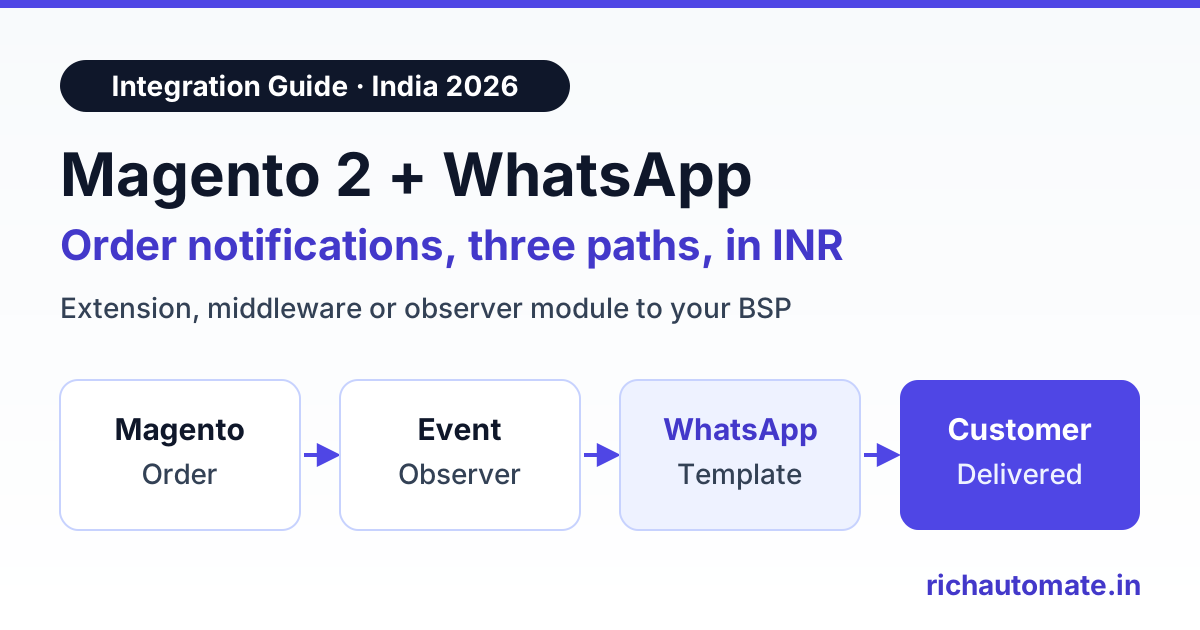
A Magento 2 WhatsApp order notification is an approved WhatsApp template, such as an order confirmation, a COD check or a shipped alert with a tracking link, that your store sends automatically when an order event fires in Magento. You can set it up three ways: a marketplace extension, middleware that reads Magento orders over REST, or a small custom module with an event observer that calls a WhatsApp Business API provider. Extensions are fastest to install. The direct module route gives you the most control and the lowest running cost in INR.
Indian D2C brands on Magento 2 and Adobe Commerce face a simple problem. Shoppers ignore order emails and SMS, but they open WhatsApp within minutes. On COD orders, that difference shows up directly in your RTO rate.
Search for this topic today and the top results are extension listings. MageComp sells one on the Adobe Commerce Marketplace. Webkul lists a Magento 2 WhatsApp Order Notification extension at $99. SetuBridge offers one built on Twilio, and ECOSIRE builds integrations to order. None of them is written for Indian stores that pay Meta in INR, take COD and ship through Shiprocket or Delhivery. This guide is the neutral version. Magento details here apply to Magento Open Source and Adobe Commerce 2.4.x, as checked in November 2026.
What Magento 2 gives you to build on
Magento 2 has no native WhatsApp channel. Every extension or connector is built from a few standard parts.
- Events and observers. A module declares observers in
etc/events.xml. Magento calls them when events fire, for examplesales_order_place_afterwhen an order is placed,sales_order_invoice_paywhen an invoice is paid,sales_order_shipment_save_afterwhen a shipment is saved, andsales_order_save_afteron any order save, where you can compare the old and new status. - Cron. A module can register jobs in
etc/crontab.xml. Magento runs them throughbin/magento cron:run, which your server should call every minute. - Message queues. Magento can publish a message to a topic and process it later with a consumer, started by
bin/magento queue:consumers:start. This keeps slow work out of the checkout request. - REST API.
GET /rest/V1/ordersreturns orders filtered bysearchCriteria, for example everything withupdated_atafter your last check. Shipments and their tracking numbers are available at/rest/V1/shipments. - Integration tokens. Under System, Extensions, Integrations you create an integration with only the API resources it needs. Since 2.4.4, using its access token as a bearer token requires the setting that allows integration tokens as standalone bearer tokens.
Adobe Commerce also offers Adobe I/O Events and a webhooks module that can push order events to an external URL. Magento Open Source does not ship outbound webhooks, so middleware there usually polls REST or relies on a small module that posts events out.
Three integration paths compared
| Path | How it works | Effort | Running cost | Best for | Main limits |
|---|---|---|---|---|---|
| Marketplace extension | Install via Composer, add API credentials in the admin, map order statuses to messages | Low | One-time licence plus the provider's per-message charges | Stores that want something working this week | Tied to the extension's chosen provider and update cycle. Check it supports approved templates on the official WhatsApp Business API |
| Middleware | n8n or a Zapier-style tool polls /rest/V1/orders, or receives Adobe Commerce events, then calls the WhatsApp provider | Medium | Middleware hosting or plan, plus per-message charges | Teams that already run automations outside Magento | Polling adds a few minutes of delay. One more system to monitor |
| Direct module to BSP | A small custom module observes order events, queues a message and sends it to the provider's API | Medium, one-time | Lowest; per-message charges only | Stores with a Magento developer or agency | You own the code, retries and upgrade testing |
Path 1: a marketplace extension
The listed extensions all follow a similar pattern. You install the module, paste in credentials for a messaging provider and choose which order statuses send which message. Webkul's Magento 2 WhatsApp Order Notification extension is listed at $99. MageComp, SetuBridge and ECOSIRE show their own pricing on their listings, and it varies by edition and support term. These are third-party prices, as checked November 2026, so confirm on each listing before you buy.
Ask four questions first. Which WhatsApp provider does it use, and can you swap it? Does it send Meta-approved templates, or does it rely on an unofficial gateway? Who owns the Meta Business account and the number? Is it tested against your exact Magento 2.4 patch level? An extension built around Twilio, for example, means paying Twilio's per-message markup in USD on top of Meta's charges.
Path 2: middleware
Middleware keeps Magento untouched. A workflow runs every few minutes and calls GET /rest/V1/orders with a filter on updated_at greater than its last run, using an integration token limited to sales resources. For each new or changed order it reads the status, the billing telephone and the order total, then sends the matching template. A second step reads /rest/V1/shipments to pick up AWB numbers. Store the last processed time and the order IDs you already messaged, so a restart never sends duplicates.
Path 3: a direct custom module
A direct module is usually a few hundred lines. The pattern that holds up in production has three parts:
- Observe. Declare observers in
etc/events.xmlforsales_order_place_after,sales_order_invoice_pay,sales_order_shipment_save_afterandsales_order_save_after. The observer only records what happened: the order ID, the event and the template name. - Queue. Publish that record to a Magento message queue, or insert it into a small outbox table. Never call an external API inside the observer. A slow network call there slows checkout, and a failure can break the order save.
- Send. A queue consumer, or a job in
etc/crontab.xmlrunning every minute, reads the outbox, calls the provider's API with the approved template and variables, and writes the message ID and status back to the order history.
On RichAutomate, the send step is one call to the developer API. Delivery and read statuses come back through a webhook you point at your Magento store or middleware. RichAutomate does not ship a native Magento extension. You use it through the developer API and webhooks, or through middleware. The same approach powers our Shopify WhatsApp integration guide and WooCommerce WhatsApp integration guide, if you run more than one store platform.
Building this with your Magento agency? Start a 14-day RichAutomate trial, submit your order templates and point a staging store at the API first.
Which order events to automate first
Start with the messages that cut support calls and failed COD deliveries. Each one needs a Meta template in the right category, because the category decides approval and price.
| Message | Magento trigger | Key variables | Meta category |
|---|---|---|---|
| Order confirmation | sales_order_place_after | Name, order number, total, payment method | Utility |
| COD confirmation | sales_order_place_after where payment is cashondelivery | Order number, total, Confirm and Cancel buttons | Utility |
| Shipped with tracking | sales_order_shipment_save_after | Courier, AWB number, tracking link | Utility |
| Out for delivery | Courier webhook or status sync into sales_order_save_after | Order number, expected time, amount to pay on COD | Utility |
| Delivered, with review ask | Delivered status in sales_order_save_after | Order number, review link | Utility, if kept factual |
| Abandoned cart | Cron over active quotes | Name, product, cart link | Marketing |
| Login or checkout OTP | Custom OTP module | One-time code | Authentication |
Keep the review ask simple and tied to the order. If the delivered message adds a coupon or pushes other products, Meta can recategorise the template as marketing, which raises its price.
Send these messages on WhatsApp, from your own number
We get your templates approved on the official WhatsApp API and set up your first broadcast with you. ₹0 platform fee, you pay only Meta's per-message rate.
Magento WhatsApp abandoned cart and OTP
Abandoned carts live in the quote table. A cron job in etc/crontab.xml can select quotes where is_active is 1, items_count is above zero and updated_at is older than, say, one hour. Then it checks for a phone number and a marketing opt-in. Guest carts often have no phone until the shipping step, so many stores only recover carts that reached the address form. Abandoned cart messages are marketing templates in Meta's rules, so send one reminder, perhaps a second after 24 hours, and stop. Our guide to WhatsApp abandoned cart recovery covers timing, wording and discount strategy.
Magento 2 does not include phone OTP login. A Magento WhatsApp OTP setup needs an extension or a custom module that generates the code, stores a hash with a short expiry and sends it through an authentication template with a copy-code button. Rate-limit requests per number and per IP, because OTP endpoints attract abuse. Keep SMS as a fallback for numbers that are not on WhatsApp.
Opt-in at checkout and template rules
- Capture consent at checkout. Add a clear checkbox near the telephone field, such as "Send order updates on WhatsApp". Save it with the order or on the customer record, along with the date. For marketing messages such as cart reminders, use a separate checkbox.
- Clean phone numbers. Magento stores the telephone on the billing and shipping address in whatever format the shopper typed. Normalise to 91 plus ten digits before sending, and prefer the shipping number for delivery updates.
- Write factual utility templates. Order, COD, shipping and delivery messages are utility. Promotional wording can get them recategorised.
- Watch quality. Blocks and reports lower your number's quality rating and can limit how many people you can message. Never upload bought lists, and include a way to stop messages.
- Verify the business. Going live on the WhatsApp Business API in India needs Meta business verification, usually with GST or MSME/Udyam details. You can build and test templates during a trial first.
No provider can promise that a number will never be restricted. Consent, honest templates and a weekly look at quality ratings are what protect it.
Indian specifics: COD, RTO, tracking, GST and DPDP
COD and RTO. Send the COD confirmation within minutes of the order, with Confirm and Cancel quick-reply buttons. Hold unconfirmed COD orders before you ship them, and cancel the ones that say no. Every fake or impulse order you stop here is a return shipment you do not pay for. Our WhatsApp COD confirmation and RTO reduction guide walks through the flow and the follow-up rules.
Tracking links. Most Indian stores create shipments through Shiprocket, Delhivery or a similar aggregator, and the AWB number lands in the shipment track record. Put the courier's public tracking link in the shipped template as a URL button with the AWB as its variable. Do not send a bare AWB number that customers must copy into a website.
GST invoices. The default Magento invoice PDF does not carry every Indian GST field, so many stores use a GST extension for GSTIN, HSN codes and tax splits. If you attach the invoice to a WhatsApp message, use that same PDF in a document header. Upload it as media or share a short-lived signed link, never a public folder with guessable file names.
DPDP Act consent. The Digital Personal Data Protection Act, 2023, expects consent that is clear, specific and easy to withdraw. Record what each shopper agreed to and when. Honour stop requests across every channel, and keep message logs only as long as you need them.
What Magento 2 WhatsApp notifications cost in India
Meta charges per delivered template message. Its India rates on Meta's INR rate card, as shown on our WhatsApp API pricing page in November 2026 and excluding GST, are ₹0.8631 per marketing message and ₹0.115 per utility or authentication message. Since 1 October 2026, the first 1,000 service replies a month per number inside the 24-hour customer service window are free.
On RichAutomate's Client Pay model, you connect your own card to your Meta account, Meta bills its charges to you at cost, and RichAutomate adds a ₹0.10 platform fee per message. Here is a hypothetical Jaipur home-decor store on Magento 2 doing about 1,500 orders a month, 60% of them COD:
| Event | Messages | Meta cost | Platform fee | Total |
|---|---|---|---|---|
| Order confirmation (utility) | 1,500 | ₹172.50 | ₹150 | ₹322.50 |
| COD confirmation (utility) | 900 | ₹103.50 | ₹90 | ₹193.50 |
| Shipped with tracking (utility) | 1,500 | ₹172.50 | ₹150 | ₹322.50 |
| Out for delivery (utility) | 1,500 | ₹172.50 | ₹150 | ₹322.50 |
| Delivered, with review ask (utility) | 1,500 | ₹172.50 | ₹150 | ₹322.50 |
| Abandoned cart reminders (marketing) | 800 | ₹690.48 | ₹80 | ₹770.48 |
| Login OTPs (authentication) | 600 | ₹69 | ₹60 | ₹129 |
| Total | 8,300 | ₹1,552.98 | ₹830 | ₹2,382.98 |
The five order updates are 6,900 utility messages and cost ₹1,483.50 a month, roughly ₹1 per order. The 800 abandoned cart reminders alone cost ₹770.48, because marketing is priced at about 7.5 times utility. Meta's figures exclude 18% GST. Monthly plans are optional: Starter is ₹499, Pro ₹899 and White-label ₹1,199 a month, with ₹0 setup and a 14-day free trial. Add any extension licence or middleware plan when you compare paths. Model your own order volumes with the WhatsApp API cost calculator.
Rollout checklist
- Confirm your version. Note your Magento 2.4 patch level, edition and PHP version. Make sure cron runs every minute and queue consumers are running.
- Choose a number and verify. Use a number not active on the regular WhatsApp app, connect it to Meta and complete business verification with GST or Udyam details.
- Add the opt-in. Put a WhatsApp consent checkbox at checkout and save it with a date. Add a separate one for marketing.
- Clean phone data. Normalise telephone numbers to 91 plus ten digits.
- Submit templates. Order confirmation, COD confirmation, shipped, out for delivery and delivered as utility. Cart reminder as marketing. OTP as authentication.
- Pick the path. Extension, middleware or direct module, based on who maintains it after go-live.
- Test on staging. Place test orders with COD and prepaid payment, create shipments and check every variable and link.
- Go live in stages. Order and COD confirmation first, then shipping updates, then cart reminders. Read delivery reports after each step.
- Measure. Compare RTO rate, COD confirmation rate and "where is my order" tickets before and after.
- Review monthly. Check quality ratings, retire templates nobody reads and tighten cart reminder timing.
If Magento orders are fulfilled through Uniware, send alerts from the OMS layer instead. Read our Unicommerce WhatsApp invoice and dispatch alerts setup.
Which path should you pick?
If you need notifications live this week and the extension supports an official WhatsApp Business API provider you are happy with, buy the extension. If you already run n8n or a similar tool, polling Magento REST is flexible and keeps your store untouched. If you have a Magento developer, a small module with observers and a queue costs the least to run and keeps the logic in code you own. Whichever you choose, start with order and COD confirmation, prove it on a few hundred orders and then add the rest.
Ready to connect Magento 2? Create your RichAutomate account, start the 14-day free trial and send your first order confirmation template from staging.