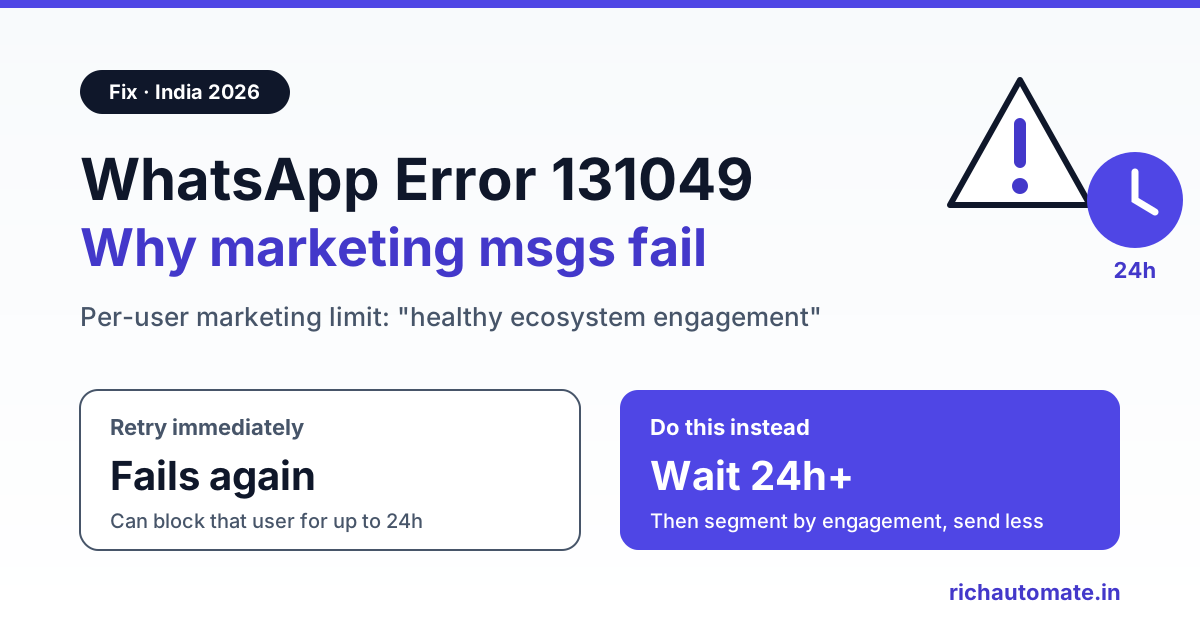
WhatsApp error 131049 means Meta did not deliver your marketing template "to maintain healthy ecosystem engagement", usually because that person has reached WhatsApp's per-user limit on marketing messages. Do not retry straight away: Meta says to wait at least 24 hours before resending, and the lasting fix is sending fewer, better-targeted marketing messages to people who actually read them.
Below: the exact meaning from Meta's documentation, why some of your contacts hit it and others do not, how to tell it apart from 131047, 131026, 130472 and 131050, and a practical playbook for Indian businesses running festive and sale campaigns.
What error 131049 means, in Meta's words
Meta's Cloud API error code reference lists 131049 as: "This message was not delivered to maintain healthy ecosystem engagement." It usually shows up as a failed status in your webhook, not as an error on the send request. Your API call succeeds, you get a message ID, and a later status update marks that message as failed with code 131049.
The error links to Meta's Per-User Marketing Template Message Limits. In short:
- WhatsApp may limit how many marketing template messages a person receives from any business when that person is less likely to engage.
- The limit depends on factors such as a dynamic view of the person's recent marketing message read rate. Meta publishes no fixed number, and the limit changes over time.
- It concerns marketing templates. Each delivered marketing template counts toward it.
- Marketing messages sent inside an open 24-hour customer service window, after the person has messaged you, do not count towards the limit.
"Any business" is the part most people miss. The limit is about the person's total marketing inflow on WhatsApp, not only your messages. A customer who received a dozen sale offers from other brands that week can be held back before your first Diwali message reaches them, even if you have never over-messaged them.
Why your campaign gets 131049
- Low read rates on your list: old buyers who have not engaged in a long time, people who ignored your last several broadcasts, and numbers collected without clear opt-in.
- Festive peaks: Diwali, Navratri, Raksha Bandhan, end-of-season and big online sale weeks, when every brand in India sends at once.
- High frequency: several marketing templates a week to the same segment.
- Immediate retries: resending to people who already returned 131049. Meta warns that resending sooner than 24 hours will only produce another error, because the limit may be in effect for differing periods. Repeated retries within 24 hours can block delivery to that user for up to 24 hours (other users are not affected) and make your delivery reports less accurate.
131049 on its own does not mean your number is banned or your template is rejected. Other messages to other people keep going. It is a per-person delivery decision.
Diagnosis table: 131049 vs 131047, 131026, 130472 and 131050
These codes are often lumped together as "message failed". They need different actions:
| Code | Meaning (per Meta's error code docs) | What to do |
|---|---|---|
| 131049 | Not delivered to maintain healthy ecosystem engagement (per-user marketing limit) | Wait at least 24 hours before resending; reduce frequency and improve targeting |
| 131047 | More than 24 hours have passed since the recipient last replied to the sender number | Send an approved template instead of a free-form message |
| 131026 | Unable to deliver message: not a WhatsApp number, recipient has not accepted the latest Terms of Service and Privacy Policy, or is on an old WhatsApp version | Use another channel (SMS, email, call) to confirm the person can message your number and has updated WhatsApp; do not keep retrying |
| 130472 | Message was not sent as part of an experiment | Meta held this user out as part of its marketing message experiment; see Meta's Marketing Message Experiment docs |
| 131050 | The user has stopped marketing messages from you | Do not retry; remove the number from marketing segments and respect the opt-out |
Codes such as 131056 (too many messages to the same phone number in a short time) are different again and can be retried after a short wait. For the wider list, see our WhatsApp Business API error codes guide or the WhatsApp error code lookup.
What not to do when you see 131049
- Do not put it in an automatic retry loop. Many bulk tools retry failed messages after a few minutes. For this code that only creates more 131049 failures and can block the person for up to 24 hours.
- Do not switch numbers or accounts to get around it. The limit follows the person, across businesses, so a new sender number does not help.
- Do not relabel a promotion as Utility. Meta reviews template categories and can reclassify; an offer is marketing whatever you name it.
- Do not delete these numbers as invalid. The person exists and uses WhatsApp. They simply were not sent this marketing message.
Fix playbook: bring 131049 down
1. Retry once, after 24 hours, only if it still matters
Move 131049 failures into a separate queue. Resend no sooner than 24 hours later, and only if the message is still relevant. A "sale ends tonight" template is not worth resending tomorrow. Retry once; if it fails again, leave that person for your next campaign.
Get the India 2026 WhatsApp BSP price comparison
Wati vs AiSensy vs Interakt vs RichAutomate: Meta rates, platform fees and hidden costs, side by side. We send it to your WhatsApp in a minute.
2. Segment by engagement, not list size
Split your audience by recent activity: replied or clicked in the last 30 days, read but did not act, and not engaged for 90 days or more. Send marketing to the most engaged group first. Because Meta says the limit reflects how likely each person is to engage, your most engaged contacts are the least likely to be held back, and your least engaged contacts are where most 131049 failures come from.
3. Cut frequency, especially in festive weeks
Start with a conservative cap, such as one marketing template per segment per week, and adjust using your own read and failure rates. During Diwali season, send earlier and less often; inbox competition is heaviest in the days just before the festival. Our WhatsApp marketing frequency caps guide covers how to set and enforce caps per segment.
Want campaign reports that show failures by error code? Start a 14-day free RichAutomate trial, send a small test campaign, and check which contacts come back with 131049 before your next big send.
4. Write templates that invite a reply
When a person replies, a 24-hour customer service window opens, and Meta says marketing messages sent within that window do not count towards the limit. Quick-reply buttons that are genuinely useful ("Show sizes", "Check price", "Talk to us") start real conversations, and the follow-ups you send while the window is open do not use up the limit. Use this for real conversations, not as a trick to push more offers.
5. Use utility templates only for genuine utility
Order confirmations, payment reminders, appointment confirmations and delivery updates are utility, and Meta's per-user limit page describes marketing templates only. Move transactional content to utility where it truly belongs, but never disguise an offer as an update; Meta can reclassify it. See WhatsApp marketing vs utility messages for how Meta draws the line. In India, marketing costs about ₹0.86 per message and utility about ₹0.115, so the honest split also matters for cost.
6. Consider Meta's Marketing Messages API (formerly MM Lite)
Meta's Marketing Messages API for WhatsApp, earlier known as MM Lite, is now generally available. Meta says it optimises delivery to reach more of the people most likely to find your messages relevant, and cites an A/B test on about 12 million delivered marketing messages from advertisers in India in January 2025. Meta does not say it removes the per-user limit or prevents 131049, so treat it as a delivery option worth testing, not a fix. Details are in our MM Lite API guide for India.
7. Monitor 131049 per campaign and per segment
Track failed status webhooks by error code for every campaign. A rising 131049 share in one segment is the signal to rest that segment. Pick a threshold that fits your business, for example pausing marketing to a segment for a week when its 131049 share is clearly above your normal level, and review it monthly.
India example: a Diwali sale campaign
Consider a hypothetical apparel store with 20,000 opted-in WhatsApp contacts. The old plan is one Diwali template to all 20,000 in festival week, then an automatic retry of every failure an hour later. That is the pattern most likely to produce a wave of 131049s, followed by a second wave from the retries.
A better plan:
- Ten days before Diwali, send to the roughly 6,000 contacts who replied or clicked in the last 30 days.
- Three days later, send to the contacts who read recent messages but did not act.
- Skip contacts with no engagement in 90 days, or reach them through SMS or email instead.
- Retry 131049 failures once, no sooner than 24 hours later, and only while the offer is still running.
Cost check on RichAutomate Client Pay for 14,000 marketing messages: about ₹12,040 in Meta marketing charges (14,000 × ₹0.86), billed by Meta to your own card, plus ₹1,400 in platform fees (14,000 × ₹0.10). Figures exclude GST. Sending fewer, better-targeted messages lowers both the failure rate and the bill. See RichAutomate pricing for plan details.
How this differs from the frequency caps guide
Our frequency caps article is about policy: how Meta limits marketing, opt-in rules and quality monitoring. This page is the troubleshooting view. You have already seen 131049 in your reports, and you need to know what it means, what not to do, and how to recover. Read both if you run regular broadcasts.
131049 checklist
- 131049 excluded from automatic short retries.
- Single retry queue at 24 hours or later, for still-relevant offers only.
- Audience split into engaged, read-only and inactive segments.
- Weekly marketing cap per segment, tighter in festive weeks.
- Templates with useful quick-reply buttons.
- Utility used only for genuine transactional updates.
- 131049 share tracked per campaign and per segment.
Seeing 131049 on every +1 recipient rather than a few contacts? That is the US pause, not the frequency cap. Our guide to WhatsApp marketing to US numbers being paused explains what still delivers.
Run smarter WhatsApp campaigns
131049 is Meta telling you some people are getting more marketing than they engage with. Respect the 24-hour wait, segment by engagement, and send less but better. Start your 14-day free RichAutomate trial: plans from ₹499/mo, ₹0 setup, and ₹0.10 per message on Client Pay with Meta charges billed to your own card.