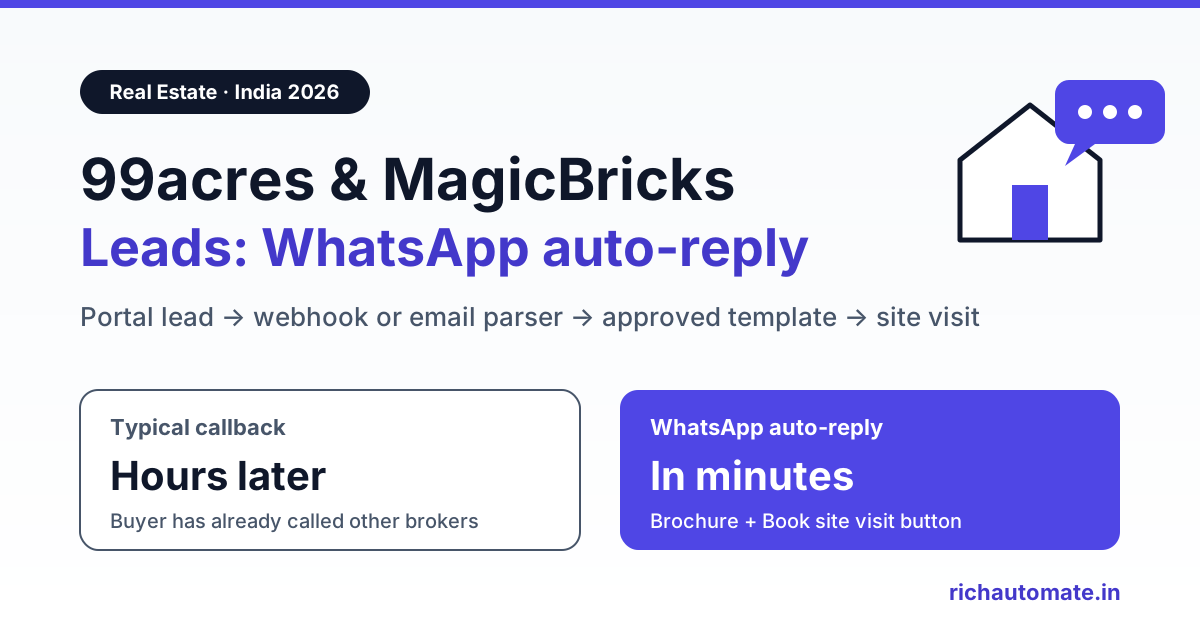
To auto-reply to 99acres, MagicBricks and Housing.com leads on WhatsApp, route every new portal enquiry (through a webhook your portal account manager enables, a CRM integration, or a parsed lead-alert email) into a WhatsApp Business API platform that sends an approved template within a minute or two. The buyer gets the brochure, price sheet and a site-visit booking button on WhatsApp while they are still browsing, instead of a missed call hours later.
This guide covers how leads actually leave each portal, which template category to use, the consent question most brokers skip, a working setup with RichAutomate, and how to stop one buyer getting three identical messages because they enquired on three portals.
Why property portal leads go cold so fast
A buyer on 99acres or MagicBricks rarely enquires on one listing. They tap "Contact" on five or six projects in the same micro-market in one sitting, and the broker or builder who replies first with something useful usually gets the site visit. A call at 7 pm to someone who enquired at 11 am often lands on a buyer who has already spoken to two other brokers, or who does not pick up unknown numbers at all.
The research on lead response time is old but consistent. A 2011 Harvard Business Review study of 2,241 US companies ("The Short Life of Online Sales Leads" by Oldroyd, McElheran and Elkington) found that most firms were not responding nearly fast enough, and reported that firms contacting leads within an hour were far more likely to qualify them than firms that waited longer. That is US data across industries, not Indian real estate, so treat it as direction rather than a benchmark. The practical lesson for Indian brokers, builders and channel partners is simple: the first reply should not depend on someone being free to call.
WhatsApp fits this job because the buyer already has it open all day, can read the message when convenient, and can tap a button to book a visit without speaking to anyone yet.
How portal lead auto-reply works: 4 parts
- Lead source: 99acres, MagicBricks, Housing.com or your own website form creates the enquiry.
- Transport: the lead reaches you as a webhook push, a CRM sync, or a lead-alert email or CSV export.
- Mapper: a no-code tool (Pabbly Connect, Make, Zapier) or a small script picks out name, mobile, project and city, and normalises the number to 91 followed by 10 digits.
- Sender: your WhatsApp Business API platform sends an approved template and, if you want, starts a chatbot flow that books the site visit.
RichAutomate does not have a one-click 99acres or MagicBricks connector. It is the sender: your mapper calls the public API endpoint POST /api/v1/send-template, or triggers a chatbot flow through its Incoming Webhook URL. It is the same pattern we use in our IndiaMART lead WhatsApp auto-reply guide, so if you also take B2B enquiries you can reuse most of the setup.
How leads leave 99acres, MagicBricks and Housing.com
This is where most setups go wrong. The big property portals do not give advertisers a self-serve "paste your webhook URL" box in the dashboard. Integration tools document four routes that work:
| Route | How it works | Speed | Notes |
|---|---|---|---|
| Account-manager webhook | You give your portal account manager a webhook URL (from Pabbly Connect, Make or your own server) and they enable lead push to it | Near real time | Pabbly's own 99acres and MagicBricks tutorials describe this step; timing depends on the portal team |
| CRM integration | Lead CRMs such as Privyr and NeoDove list 99acres, MagicBricks and Housing.com integrations, also activated through the portal account manager | Near real time once live | Forward from the CRM to WhatsApp with the CRM's own webhook or automation feature |
| Lead-alert email parsing | Every portal emails you a lead alert; an email parser (Pabbly Email Parser, Zapier Email Parser, Mailparser) extracts the fields | A few minutes, depending on email delivery and parser polling | Works on day one; breaks if the portal changes its email layout |
| CSV export | Download leads from the portal dashboard and import them | Hours | Fine for back-filling old leads, too slow for a first response |
Our advice: start with email parsing today so nothing is missed, and ask your account manager for the webhook push in parallel. When the push goes live, switch to it and keep the parser as a backup with dedupe turned on (see below). Exact fields and activation timelines vary by portal and by package, so confirm them with your account manager rather than assuming.
The first message must be an approved template
A buyer who enquired on a portal has not messaged your WhatsApp number, so there is no open 24-hour customer service window. The WhatsApp Business API only lets you start that conversation with a pre-approved message template. A free-text "Hi, saw your enquiry" sent through the API will fail.
Meta, not you, decides the category of each template during review. In practice:
| Template purpose | Likely category | Example body |
|---|---|---|
| Acknowledgement of the buyer's own enquiry, with the details they asked for | Utility, if it stays strictly about their request | "Hi {{1}}, thanks for your enquiry about {{2}} on {{3}}. Here are the floor plans and price sheet you asked for. Reply VISIT to book a site visit or CALL for a callback." |
| Site-visit confirmation or reminder | Utility | "Your site visit to {{1}} is confirmed for {{2}} at {{3}}. Location: {{4}}. Reply RESCHEDULE to change the slot." |
| New launch, festive offer, price drop, other projects | Marketing | "Festive offer on 2 BHK homes at {{1}}, valid till {{2}}. Reply YES for the price sheet." |
Meta can reclassify templates it considers promotional, so keep the acknowledgement factual: what they asked about, what you are sending, and the next step. Phrases like "limited offer" or "lowest price in the city" usually push it into Marketing. Category also changes cost. In India, Meta charges roughly ₹0.115 per utility message and ₹0.86 per marketing message, so getting the acknowledgement approved as Utility matters once you handle hundreds of leads a month. Our real estate WhatsApp site-visit playbook has more template wording written for brokers.
Consent: a portal enquiry is not a WhatsApp opt-in
A buyer who filled a form on 99acres agreed to be contacted about that listing. That is not the same as agreeing to your WhatsApp broadcasts. Meta's WhatsApp Business Messaging Policy expects opt-in permission before you message people on WhatsApp, and India's DPDP Act raises the bar on consent and purpose.
Get the India 2026 WhatsApp BSP price comparison
Wati vs AiSensy vs Interakt vs RichAutomate: Meta rates, platform fees and hidden costs, side by side. We send it to your WhatsApp in a minute.
- Keep the first message strictly about the enquiry the buyer made.
- Ask for permission explicitly, for example with a quick-reply button such as "Yes, send me project updates on WhatsApp", and save the answer as a contact attribute.
- Add only buyers who said yes to marketing lists for new launches and offers.
- Honour STOP immediately and remove the number from every marketing segment.
This lowers block and report rates, which protects your number's quality rating. No setup can guarantee a number will never be restricted, because Meta enforces based on user feedback and its own policies. Read our WhatsApp DPDP Act opt-in compliance guide before you start broadcasting to portal leads.
Setup: portal lead to WhatsApp with Pabbly Connect or Make
- Sign up on RichAutomate, connect your WhatsApp Business number, and submit an acknowledgement template (for example property_enquiry_ack) with variables for name, project and portal.
- Generate an API key in your RichAutomate account.
- In Pabbly Connect or Make, create a scenario with a Webhook trigger (for the account-manager push) or an Email Parser trigger (for lead-alert emails).
- Map the fields: buyer name, mobile, project or listing, portal name. Normalise the mobile to 91 plus 10 digits by removing spaces, the plus sign and any leading 0.
- Add an HTTP step that calls the send-template endpoint, as shown below.
- Send a test enquiry from your own phone on each portal and confirm the WhatsApp message arrives.
POST https://richautomate.in/api/v1/send-template
Authorization: Bearer YOUR_API_KEY
Content-Type: application/json
{"phone":"91XXXXXXXXXX","template":"property_enquiry_ack","language":"en","variables":["there","2 BHK at your project","99acres"]}
Pass the buyer's name as the first variable when the portal provides it, and a neutral word such as "there" when it does not. The endpoint checks your wallet balance before sending and returns an error if it is too low, so top up before you connect a busy portal account. A header image or PDF brochure can be attached to the template header if your template was approved with a media header.
Try it on your own leads: start a 14-day free trial of RichAutomate, connect your number, and send a test enquiry from your own phone. Setup costs ₹0.
Turn the reply into a site visit with a chatbot flow
The acknowledgement earns the reply; a chatbot flow converts it into a visit. Instead of calling send-template directly, your mapper can call the flow's Incoming Webhook trigger, POST /api/v1/public/flows/{token}/trigger, with the phone, name and a data object (project, portal, budget). The data fields are saved on the contact as attributes, and the flow must be active for the trigger to work.
A typical portal-lead flow looks like this:
- Send the approved acknowledgement template with three buttons: Book site visit, Send brochure, Talk to an agent.
- Book site visit: ask for a preferred day (this weekend, next weekend, a weekday) and a time slot, confirm, and send the location pin.
- Send brochure: send the PDF and floor plans, then ask budget range and BHK preference.
- Talk to an agent: tag the contact and hand the chat to a sales executive in the shared team inbox.
- Before the visit, send a utility reminder template with the address and a reschedule option.
Ask only one or two qualifying questions inside the flow (budget, BHK, possession timeline) and tag the answers. Our WhatsApp lead qualification and scoring guide shows how to send hot leads to your best closer first and park casual browsers in a slower nurture.
Stop duplicate messages across portals
Serious buyers enquire on several portals, and you may list the same project on all three. Without dedupe, one buyer gets three identical welcomes in two minutes, which looks like spam and invites a block.
- Before sending, check the normalised mobile number plus project against the last 24 hours. In Pabbly or Make a data store or a Google Sheet lookup is enough.
- If both the email parser and the webhook push are running, also dedupe on the portal's lead ID.
- Return HTTP 200 to the portal webhook quickly and do the sending in a later step, so the portal does not retry and create copies.
- For a repeat enquiry on a different project, send a short follow-up template ("You also asked about...") rather than the full welcome again.
What portal lead auto-reply costs
| Item | Cost |
|---|---|
| RichAutomate plan | Starter ₹499/mo, Pro ₹899/mo, White-label ₹1,199/mo, or Custom; ₹0 setup; 14-day free trial |
| Platform fee (Client Pay) | ₹0.10 per message |
| Meta charge, utility template (acknowledgement, visit reminder) | About ₹0.115 per message, billed by Meta to your own card |
| Meta charge, marketing template (launch, offer) | About ₹0.86 per message, billed by Meta to your own card |
| Mapper (Pabbly Connect, Make, Zapier) | As per the tool's own plan; verify on their site |
Worked example: 600 portal leads a month, each getting one utility acknowledgement and one visit reminder, is 1,200 utility messages. That is roughly ₹120 in platform fees plus roughly ₹138 in Meta utility charges, on top of your plan. Messages your chatbot flow sends after the buyer replies also carry the ₹0.10 platform fee. Figures exclude GST. See RichAutomate pricing for the current plans.
Builders and channel partners: same setup, different routing
A builder with three projects in Pune and one in Mumbai should route by the project field so each enquiry reaches the right site team and the right brochure. A channel partner reselling many projects usually routes by city or budget band instead. In both cases the mapper adds a tag, and the flow or the team inbox uses that tag to assign the chat. For industry-specific templates and flows, see RichAutomate for real estate.
Launch checklist
- Acknowledgement and visit-reminder templates approved, ideally as Utility.
- Email parser live for every portal; webhook push requested from each account manager.
- Mobile numbers normalised to 91 plus 10 digits.
- Dedupe on mobile plus project (24 hours) and on portal lead ID.
- Opt-in button in the first message; marketing lists built only from buyers who said yes.
- Site-visit flow active and tested end to end from a real phone.
- Wallet topped up and a call task created for numbers that are not on WhatsApp.
The same lead-to-WhatsApp pattern works for B2B portals too. Read our TradeIndia lead auto-reply setup for manufacturers and traders.
Pune builders can see a full worked cost example in our WhatsApp Business API provider guide for Pune.
Start replying to portal leads in minutes
Every portal lead you answer in the first few minutes is a buyer who hears from you before the next broker. Start your 14-day free RichAutomate trial, connect your number, and send your first approved acknowledgement today. Plans start at ₹499/mo with ₹0 setup.