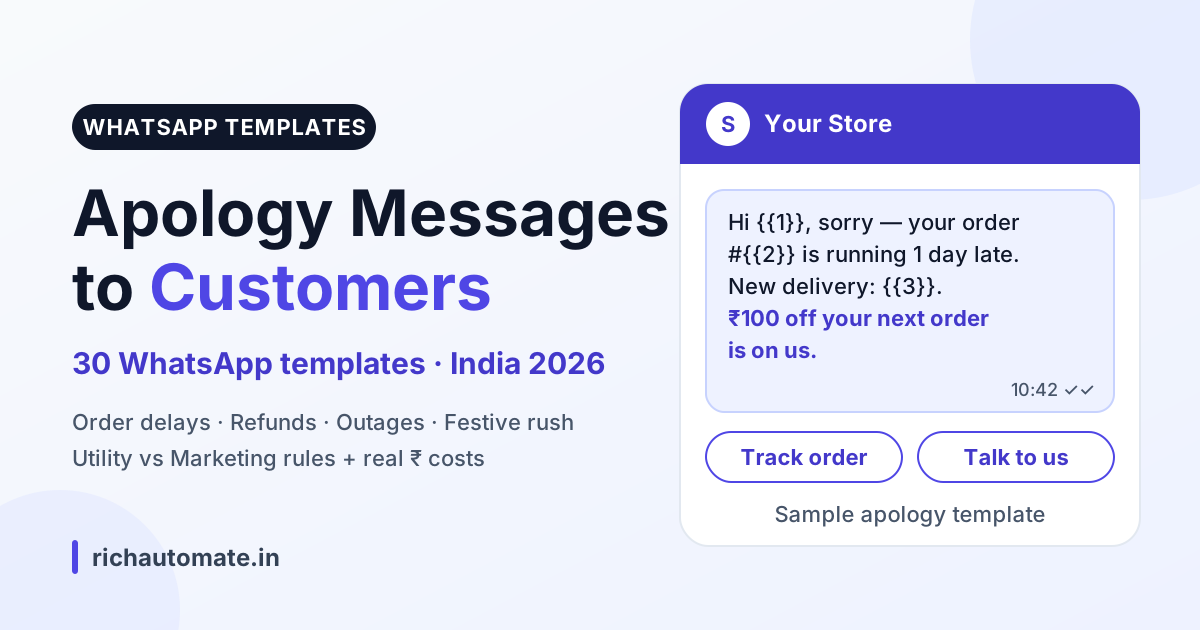
A good apology message to a customer on WhatsApp does five things: it owns the mistake, explains what happened in one line, states the fix with a real date or time, offers a fair make-good, and gives one clear next step. Send it before the customer chases you, ideally within an hour of spotting the problem. Under Meta's rules an apology template is Utility (₹0.115 per message in India) only when it is tied to that customer's specific order, booking, payment or account and carries no offer; a general sorry note or one with a coupon is Marketing (₹0.8631).
Disclosure: this guide is published by RichAutomate, a WhatsApp Business API platform. Category rules were checked against Meta's template category guidelines on 30 October 2026.
Below are 30 ready-to-use templates in Meta's {{1}} variable format, plus the category rules, timing, automation and real costs to know before you submit them.
The 5-part formula for an apology message to a customer
A customer apology message is a short, specific note that admits a failure your business caused, tells the customer what you are doing about it, and gives them one easy next step.
- Own it. Say "we're sorry" or "this one is on us", not "we regret any inconvenience caused".
- Explain briefly. One clause on why. Customers want a reason, not a story.
- Fix and timeline. A specific date, slot or refund reference. "Soon" is not a timeline.
- Make-good. Proportional to the damage: an express upgrade, a waived delivery fee, an instant refund.
- One next step. One reply keyword, quick-reply button or link. Never three.
A fast, specific apology usually beats a coupon. Customers tend to forgive a delay far more easily than silence.
Compare a stock line many businesses still send, "Thanks for your response. We regret the inconvenience caused to you", with "Sorry, order #4821 is late because of a courier backlog; it now arrives Thursday". The first fails parts 1, 3 and 5 of the formula. The second owns it, gives a date, and only needs a next step added.
30 WhatsApp apology templates by situation
Every template below avoids starting or ending with a variable, which Meta rejects at review. Replace each {{n}} with your own data and keep the wording plain. Meta can also reject a template whose variables outweigh its fixed text, so if a short template with four or five variables comes back rejected, add a little fixed wording or drop a variable. Submit realistic sample values for every variable.
1. Order delay
Hi {{1}}, we're sorry, your order #{{2}} is running late because {{3}}. The new delivery date is {{4}}. Track it here: {{5}}. Reply HELP to talk to our team.
When to use: the moment a dispatch SLA is missed.
Hi {{1}}, this one is on us. Order #{{2}} missed its dispatch date. It ships by {{3}} and we've upgraded it to express at no cost. Sorry for the wait.
When to use: when you can absorb a shipping upgrade.
Namaste {{1}} ji, maaf kijiye, aapka order #{{2}} thoda late hai. Naya delivery date: {{3}}. Koi sawaal ho toh is message par reply karein.
When to use: customers who chat with you in Hinglish.
2. Wrong or damaged item
Hi {{1}}, we're really sorry your order #{{2}} arrived {{3}}. We've booked a free pickup for {{4}} and the replacement ships the same day. No need to repack it perfectly.
When to use: damaged goods with a return pickup.
Hi {{1}}, thank you for the photos and sorry for the mix-up on order #{{2}}. Please keep the wrong item. The correct {{3}} arrives by {{4}}, free of charge.
When to use: low-value items where pickup costs more than the product.
Hi {{1}}, sorry about the damaged {{2}}. Reply 1 for a replacement or 2 for a full refund of ₹{{3}}. We will act on your choice within two hours.
When to use: when the customer should choose the remedy.
3. Stock-out after order
Hi {{1}}, we owe you an apology. The {{2}} in order #{{3}} went out of stock after you paid. Your refund of ₹{{4}} has started and should reach you in {{5}} working days.
When to use: no substitute is available.
Hi {{1}}, sorry, {{2}} from order #{{3}} is out of stock. We can send {{4}} instead at the same price, or refund you in full. Reply SWAP or REFUND.
When to use: a close alternative exists.
Hi {{1}}, sorry, part of order #{{2}} is unavailable. The rest ships today, and ₹{{3}} for the missing {{4}} is being refunded to your original payment method.
When to use: partial fulfilment.
4. Service outage or app down
Hi {{1}}, our {{2}} is down right now and we're sorry for the disruption. Our team is working on it and the next update will come by {{3}}. No action is needed from you.
When to use: within the first hour of a confirmed outage.
Hi {{1}}, {{2}} is working again. It was down from {{3}} to {{4}} because of {{5}}. Sorry for the trouble. If anything failed in that window, reply here and we'll fix it first.
When to use: once service is restored.
Hi {{1}}, sorry, online payments failed between {{2}} and {{3}} today. If you were charged for order #{{4}}, the amount will be reversed within {{5}} working days. Please don't pay twice.
When to use: payment-gateway failures.
5. Billing error or double charge
Hi {{1}}, we're sorry, you were charged twice for {{2}} on {{3}}. The extra ₹{{4}} was refunded today with reference {{5}}. Your bank may take a few working days to show it.
When to use: duplicate debits.
Hi {{1}}, invoice #{{2}} showed ₹{{3}} instead of ₹{{4}}. That was our error and we're sorry. A corrected invoice is attached and nothing extra will be debited.
When to use: wrong amount on an invoice.
Hi {{1}}, apologies for the confusion on your bill for account {{2}}. A billing specialist will call you by {{3}} to sort it out. Reply CALL NOW if it is urgent.
When to use: the issue needs a human to investigate.
6. Late delivery or missed slot
Hi {{1}}, sorry we missed your {{2}} delivery slot today. Order #{{3}} is rescheduled for {{4}}. Reply CHANGE to pick a different time.
When to use: a slot-based delivery was missed.
Hi {{1}}, our delivery partner couldn't complete order #{{2}}, and we're sorry if that was on our side. Pick a new slot here: {{3}}. Delivery stays free.
When to use: a courier NDR on your shipment.
Hi {{1}}, apologies, your {{2}} technician visit is running late. {{3}} is now on the way and should reach you by {{4}}. Thank you for waiting.
When to use: home services and installations.
7. Rude staff complaint
Hi {{1}}, thank you for telling us about your visit to {{2}} on {{3}}. That is not how we want anyone treated, and we're sorry. Our customer team will call you by {{4}} today.
When to use: first response to a behaviour complaint.
Hi {{1}}, we have reviewed complaint {{2}}. You were right, and we have spoken to the team involved. We're sorry again. Reply here any time if anything else went wrong.
When to use: closing the loop after an internal review.
Hi {{1}}, we're sorry about the call on {{2}}. Your complaint is logged as {{3}}, and a senior manager will personally follow up within {{4}} hours.
When to use: serious complaints that need escalation.
8. Cancelled appointment or booking
Hi {{1}}, we're sorry, we have to cancel your {{2}} appointment on {{3}} because {{4}}. Reply 1 to take the next free slot, or 2 to choose another time.
When to use: clinics, salons and service centres.
Hi {{1}}, booking #{{2}} for {{3}} has been cancelled from our side and we apologise. The full ₹{{4}} is being refunded. Reply REBOOK whenever you are ready.
When to use: prepaid bookings you cannot honour.
Hi {{1}}, sorry, Dr {{2}} is unavailable on {{3}}. Your appointment has moved to {{4}}. Reply NO if that doesn't suit you and we'll find another slot.
When to use: a practitioner reschedules.
9. Refund delay
Hi {{1}}, sorry your refund of ₹{{2}} for order #{{3}} is taking longer than promised. It was processed on {{4}} with reference {{5}}. Share this reference with your bank if it isn't visible yet.
When to use: refund done, bank still pending.
Hi {{1}}, we apologise, your refund for order #{{2}} got stuck at our end. It was re-initiated today and should reach you by {{3}}. We'll message you once it lands.
When to use: an internal processing failure.
Hi {{1}}, sorry for the wait on your ₹{{2}} refund. It is approved and will be paid by {{3}}. If you'd prefer instant store credit instead, reply CREDIT.
When to use: offering a faster alternative.
10. Festive-rush delays
Hi {{1}}, thank you for shopping with us this {{2}}. Orders are heavier than expected, so order #{{3}} will arrive by {{4}} instead of {{5}}. Sorry for the delay.
When to use: Diwali, Navratri or sale-week backlogs.
Hi {{1}}, {{2}} ki bheed ki wajah se aapka order #{{3}} thoda late hai. Naya date: {{4}}. Maafi chahte hain, tracking yahan dekhein: {{5}}. Shukriya!
When to use: Hinglish festive delay notice.
Hi {{1}}, sorry, your {{2}} gift order #{{3}} may miss the {{4}} date. Reply 1 to upgrade to express for free, or 2 to cancel with a full refund.
When to use: gift orders tied to an occasion.
Utility or Marketing? How Meta categorises an apology template
Every template sits in a Meta category, which decides its price and delivery. Meta's guidelines say a Utility template must meet two tests: it must be non-promotional (no promotional or persuasive intent), and it must be specific to or requested by the user, such as an order, shipping or account update, or essential to the user, such as a system outage notice. A template that mixes a utility update with promotional content is categorised as Marketing, and Meta's own example of an apology that offers a credit sits under Marketing. A generic "sorry for any inconvenience" broadcast that names no order or account does not pass the "specific to the user" test either, so expect it to be approved as Marketing.
Send these messages on WhatsApp, from your own number
We get your templates approved on the official WhatsApp API and set up your first broadcast with you. ₹0 platform fee, you pay only Meta's per-message rate.
For apologies, three rules cover almost every case:
- Utility: tied to a specific order, booking, payment or account, with no promotional offer.
- Marketing: encourages a new purchase, such as a next-order discount code or a "shop again" button. It costs more and is paced by Meta.
- No template: if the customer messaged you in the last 24 hours, the customer service window is open and you can reply in your own words.
| Factor | Utility apology | Marketing apology |
|---|---|---|
| Tied to | A specific order, booking, payment or account | A future purchase |
| Typical content | Sorry, reason, new date, refund reference | Sorry plus coupon or shop-again offer |
| Meta base rate (India) | ₹0.115 per message | ₹0.8631 per message |
| RichAutomate Client Pay | About ₹0.215 | About ₹0.963 |
| Delivery | Sent as a transactional update | Paced, with per-user marketing limits |
| Best for | Every failure notice | An optional goodwill follow-up days later |
Here is what turns an apology into Marketing:
Hi {{1}}, sorry again about the delay on your last order. Here's ₹{{2}} off your next purchase with code {{3}}, valid till {{4}}. Happy shopping!
Refunding the delivery fee on the delayed order is a transaction update; a coupon for the next order is an incentive to buy again. Since April 2025, a template submitted as Utility that Meta judges to be marketing is approved as Marketing from the start, and Meta also re-checks approved templates and can move them to Marketing later (normally with a day's notice, and instantly for businesses that have been warned). You can ask for a review within 60 days. Repeated mis-categorisation can bring limits on utility sending, so pick the honest category up front. Our guide to WhatsApp marketing vs utility message categories covers the edge cases in detail.
| Situation | Fair make-good | Template category |
|---|---|---|
| Order delay | Honest new date, free express upgrade | Utility |
| Wrong or damaged item | Free pickup, same-day replacement | Utility |
| Stock-out after order | Instant refund or same-price swap | Utility |
| Service outage | Status updates, fix failed transactions | Utility, kept purely informational |
| Double charge | Immediate refund with reference | Utility |
| Missed delivery slot | Priority reslot, delivery fee waived | Utility |
| Rude staff complaint | Call-back from a senior person | Free-form reply inside the 24-hour window |
| Cancelled booking | Priority rebooking or full refund | Utility |
| Refund delay | Reference number, firm date | Utility |
| Goodwill coupon, any case | ₹ off the next purchase | Marketing |
When to send it: timing and SLA guidance
An apology that arrives after the customer complains is damage control; one that arrives before is customer service. Set three working rules for your team:
- Within one hour of detecting the issue, send the first apology with whatever you know, even if the final fix date comes later.
- Give a next-update time and keep it. A second message at the promised time builds more trust than a perfect first message.
- Close the loop when the problem is fixed, and only then ask for feedback.
For inbound complaints, aim for a first human response within your published business-hours SLA, and escalate by severity. Our WhatsApp complaint escalation matrix sets out who owns each level and how fast.
Proactive vs reactive apologies
A proactive apology is sent before the customer notices or asks: a delayed dispatch, a failed payment, an outage. Because the customer has not messaged you, it needs an approved template, almost always Utility.
A reactive apology answers a complaint already raised. Their message opens the 24-hour customer service window, so you can write a personal reply, which is what an upset customer expects.
Move as many failures as possible from reactive to proactive. Every "where is my order?" is a delay notice you could have sent first.
Automating apology messages with the WhatsApp Business API
Manual apologies do not scale in a festive rush. Trigger each one from the event that causes it:
- Order-status webhook: when an order is marked "dispatch delayed", fire the order-delay template with the new date filled in.
- Courier NDR: on a failed attempt, send the missed-slot apology with a reschedule link. See our guide to NDR and failed delivery management.
- Outage flag: when monitoring raises an incident, message affected customers only, then send the resolved template. Our WhatsApp outage playbook covers the full sequence.
- Refund events: pair every refund apology with automated refund status updates.
Route angry replies to a human. An automated apology should never trap an upset customer in a bot loop. In RichAutomate, a chatbot flow can watch replies for words such as "refund", "worst" or "call me" and hand the chat to a live agent.
Hinglish vs English: getting the tone right
Match the language the customer uses with you. A customer who writes "bhai order kab aayega" will find a stiff English apology cold, while a B2B buyer may find Hinglish too casual. Submit each language version as its own template.
In either language, write like a person, not a legal notice. "Sorry, this one is on us" beats "We sincerely regret the inconvenience caused". In Hinglish, a respectful "ji" and "maaf kijiye" do the work of a paragraph.
Mistakes to avoid in a customer apology message
- Blaming the courier or the vendor. The customer bought from you. Say what happened, but own the outcome.
- Copy-paste corporate tone. "Dear valued customer, we regret any inconvenience" signals that nobody actually read their complaint.
- Over-promising. Never give a date you cannot hit. A second missed date does more damage than the first.
- Upselling inside the apology. A "shop our new collection" button under a message about a broken product feels tone-deaf and turns the template into Marketing.
- Asking for a review too early. Request feedback only after the fix is confirmed.
- No human path. Every apology needs a way to reach a real person.
How to send these apology templates via the WhatsApp API
To send any of the templates above to a customer who has not messaged you in the last 24 hours, you need the official WhatsApp Business API and a Meta-approved template. The steps on RichAutomate:
- Connect your number through Meta's embedded signup and pick a billing mode: Client Pay (Meta bills you directly, RichAutomate adds ₹0.10 per message) or SaaS Pay (one all-inclusive rate).
- Create the template in the template builder, choose Utility only if it passes Meta's two tests above, add sample values, and run the draft through the free template approval checker for length, variable and category risks.
- Trigger it from the event. Send from a campaign, from a chatbot flow, or from your own order system through RichAutomate's developer API, which takes the template name and variable values per customer.
- Route replies to a person. Add an agent-handoff step so an upset reply lands with a human in the shared inbox.
| Category | Meta rate (India) | Client Pay (Meta + ₹0.10) | SaaS Pay (all-in) |
|---|---|---|---|
| Utility apology tied to an order | ₹0.115 | ₹0.215 | ₹0.50 |
| Marketing apology (generic, or with a coupon) | ₹0.8631 | ₹0.9631 | ₹1.50 |
| Free-form reply inside 24 hours | First 1,000 per number per month free, then ₹0.115 | Same, plus ₹0.10 | See pricing page |
To send messages like these to your whole customer list in one go, use a WhatsApp bulk message sender on the official API. Check the per-message cost first with our WhatsApp API cost calculator, or compare the cheapest WhatsApp Business API in India.
What apology messages cost on WhatsApp in India
The template category drives the bill. RichAutomate charges ₹0 setup and ₹0 monthly on pay-as-you-go, with two billing modes: Client Pay (Meta's rate plus ₹0.10 per message) or SaaS Pay (all-in ₹1.50 Marketing, ₹0.50 Utility).
| Apology type | Meta base rate | Client Pay per message | Client Pay per 1,000 | SaaS Pay per 1,000 |
|---|---|---|---|---|
| Utility (order-linked) | ₹0.115 | About ₹0.215 | About ₹215 | ₹500 |
| Marketing (apology plus coupon) | ₹0.8631 | About ₹0.963 | About ₹963 | ₹1,500 |
As a worked example, a D2C brand sending 3,000 festive-delay apologies spends about ₹645 on Client Pay if they are Utility templates, and about ₹2,889 if a coupon pushes them into Marketing. Under Meta's pricing from 1 October 2026, free-form replies inside the 24-hour window are free for the first 1,000 per number each month and then charged at the utility rate of ₹0.115.
Optional plans: Starter ₹499, Pro ₹899 and White-label ₹1,199 a month; pay-as-you-go needs none of them. Delivery depends on Meta's policies and your quality rating, so no provider can guarantee it. Full details are on our WhatsApp API pricing page.
Ready to send apologies that arrive before the complaint does? Start your 14-day free trial with 100 credits, submit these templates for approval, and connect them to your order and courier events in an afternoon.
If a bad experience made the customer drift away, see our win-back messages for lapsed customers.